
Views and Sheets · Place
Viewport Placement
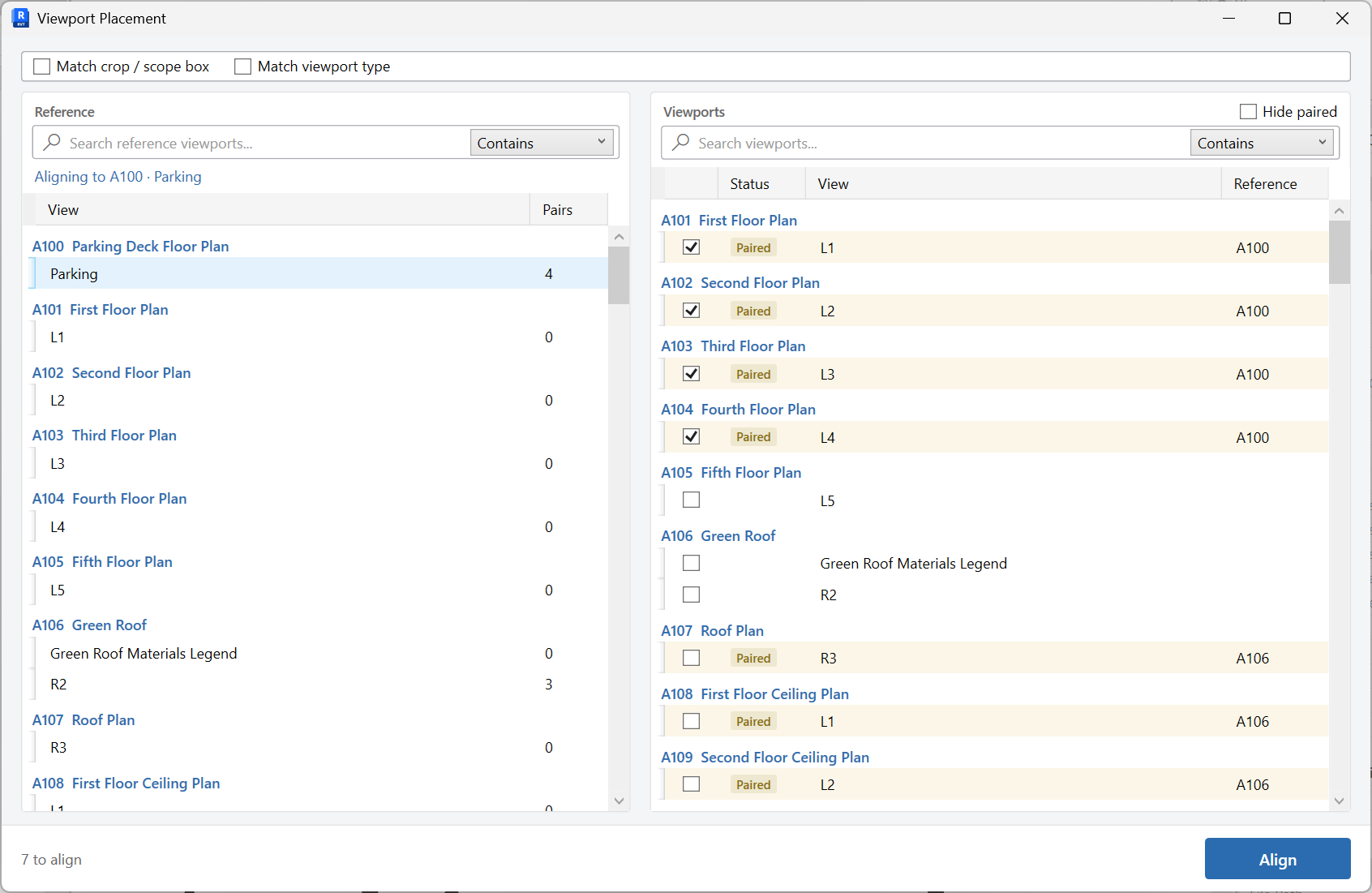
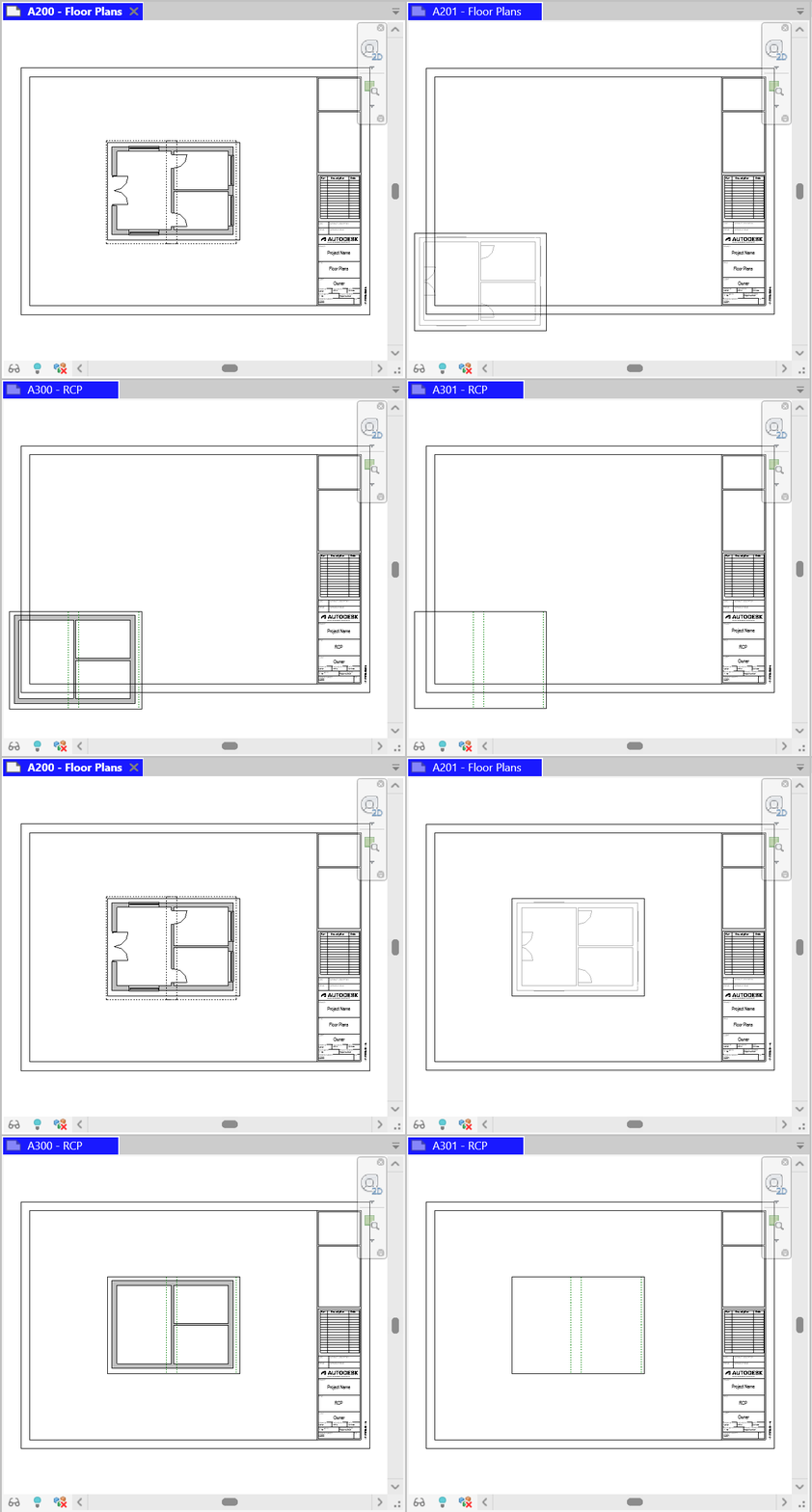
Align viewports across sheets to match a reference viewport, optionally matching crop or viewport type.
When to use it
Use this when plans on consecutive sheets should sit on the same title-block position, or when a set must match a master sheet’s viewport.
Why it exists
Nudge-aligning viewports by eye never holds across a 40-sheet set. Matching a reference viewport does.
How to use it
-
Open Viewport Placement
On the ✚ Annon App tab, open Place and choose Viewport Placement.
-
Pick the source viewport
Choose the viewport whose position (and optionally crop/scope box and viewport type) is the reference.
-
Select targets
Check the viewports that should match the source.
-
Align
Optionally enable Align view region (crop or scope box) and Match viewport type, then align.
Keep in mind
- Place views first with Views To Sheets, then align.
- Same-scale plans align more predictably than mixing scales.
Related tools
 Views To Sheets
Place views onto sheets in a two-pane workspace, then Place to update the sheets.
Views To Sheets
Place views onto sheets in a two-pane workspace, then Place to update the sheets.
 Grids Match
Copy grid extents from a source view to other views, optionally including grid dimensions.
Grids Match
Copy grid extents from a source view to other views, optionally including grid dimensions.
 Create Sheets
Create sheets from a grid you can edit, paste into, or fill from Excel, including extra sheet parameters.
Create Sheets
Create sheets from a grid you can edit, paste into, or fill from Excel, including extra sheet parameters.