Download Annon App
Register once. You get the installer and a free one-year license key for Revit.
You're ready
This is your free license key. Copy it now - we cannot show it again.
A license is already issued for .
Your license was extended by one year. Keep using the same key in Revit.
Supports Revit 2025, 2026, and 2027. Windows only.
Installation
- Register with the form above. Copy the license key on the next screen, then download
AnnonAppInstaller.exe. - Close every running Autodesk Revit session, including background instances.
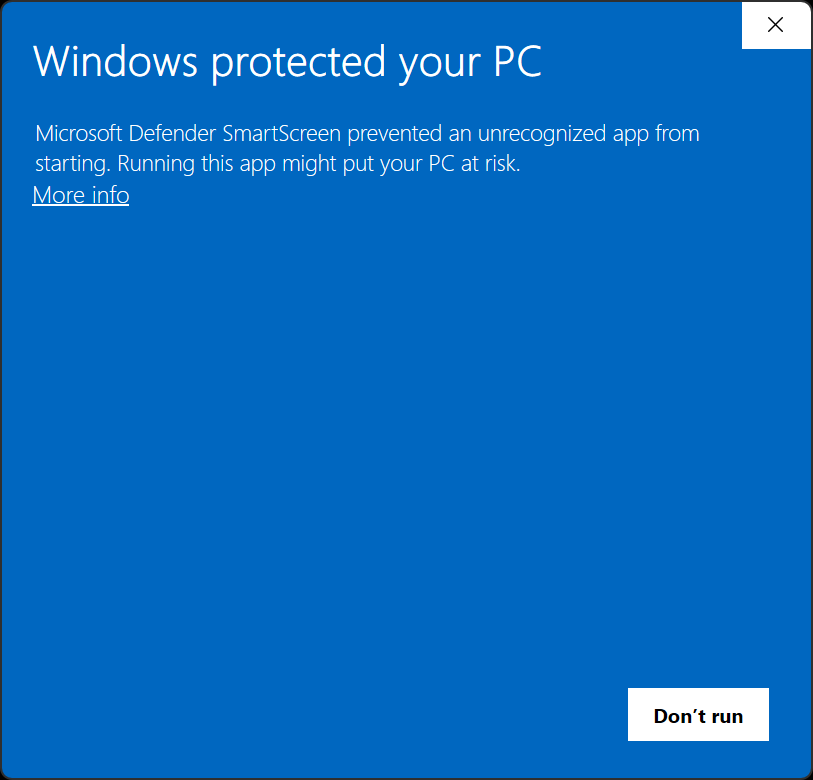
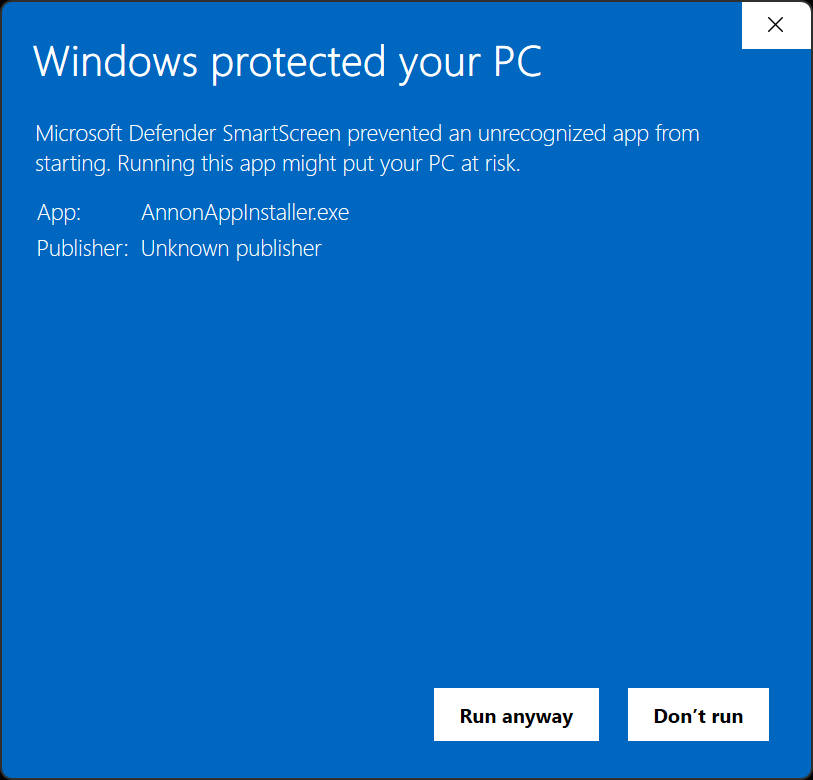
- Run the installer. If Windows shows Windows protected your PC, click More info, then Run anyway. Leave Windows protection on.
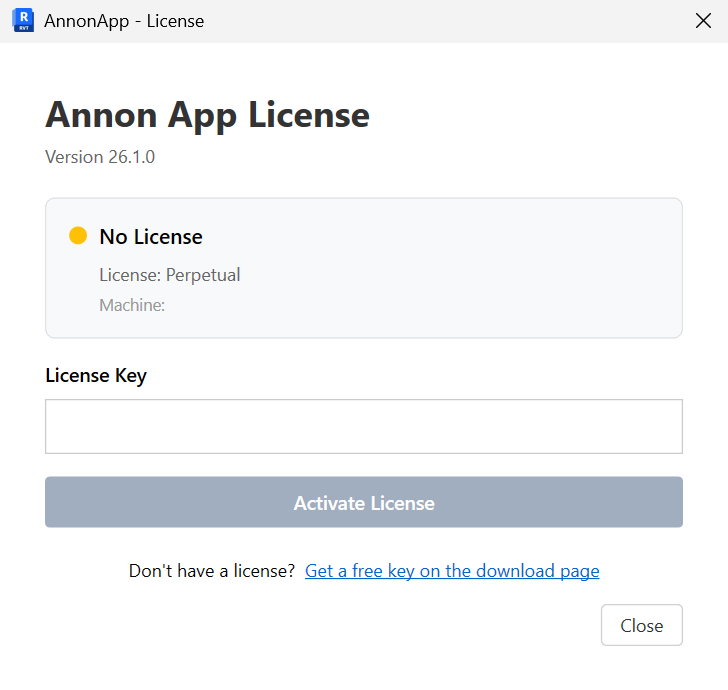
- Open Revit. Paste the key into the Annon App License window and click Activate License. The ✚ Annon App tab should then work on the ribbon.
- If you are new to the add-in, start in the Tools Library - Isolate Warnings, Create Sheets, and Parameter Values are good first tools.
If Windows blocks the installer
The first time you run AnnonAppInstaller.exe, Windows may show Windows protected your PC. Microsoft Defender SmartScreen does that for apps it does not recognize yet. Ours is not a widely known publisher, so Windows asks you to confirm. Leave SmartScreen on. Do not turn off Windows protection. Click More info, then Run anyway.
What you are installing
The installer adds the Annon App add-in for supported Revit years on this machine. It does not replace Revit, and it does not require Dynamo. Your free key is valid for one year on up to two machines. License details also live on the About button on the ribbon after install.