
Manage · Worksets
Create Worksets
Create or rename worksets from a grid you can edit, paste into, or fill from Excel.
When to use it
Use this at project start to build the office workset list, or later when names need a bulk rename to match a new standard.
Why it exists
Typing worksets one-by-one in Revit’s Worksets dialog is slow and easy to misspell. A grid you can paste from Excel matches how BIM managers already keep the list.
How to use it
-
Open Create Worksets
On the ✚ Annon App tab, open Worksets and choose Create Worksets.
-
Choose Create or Rename
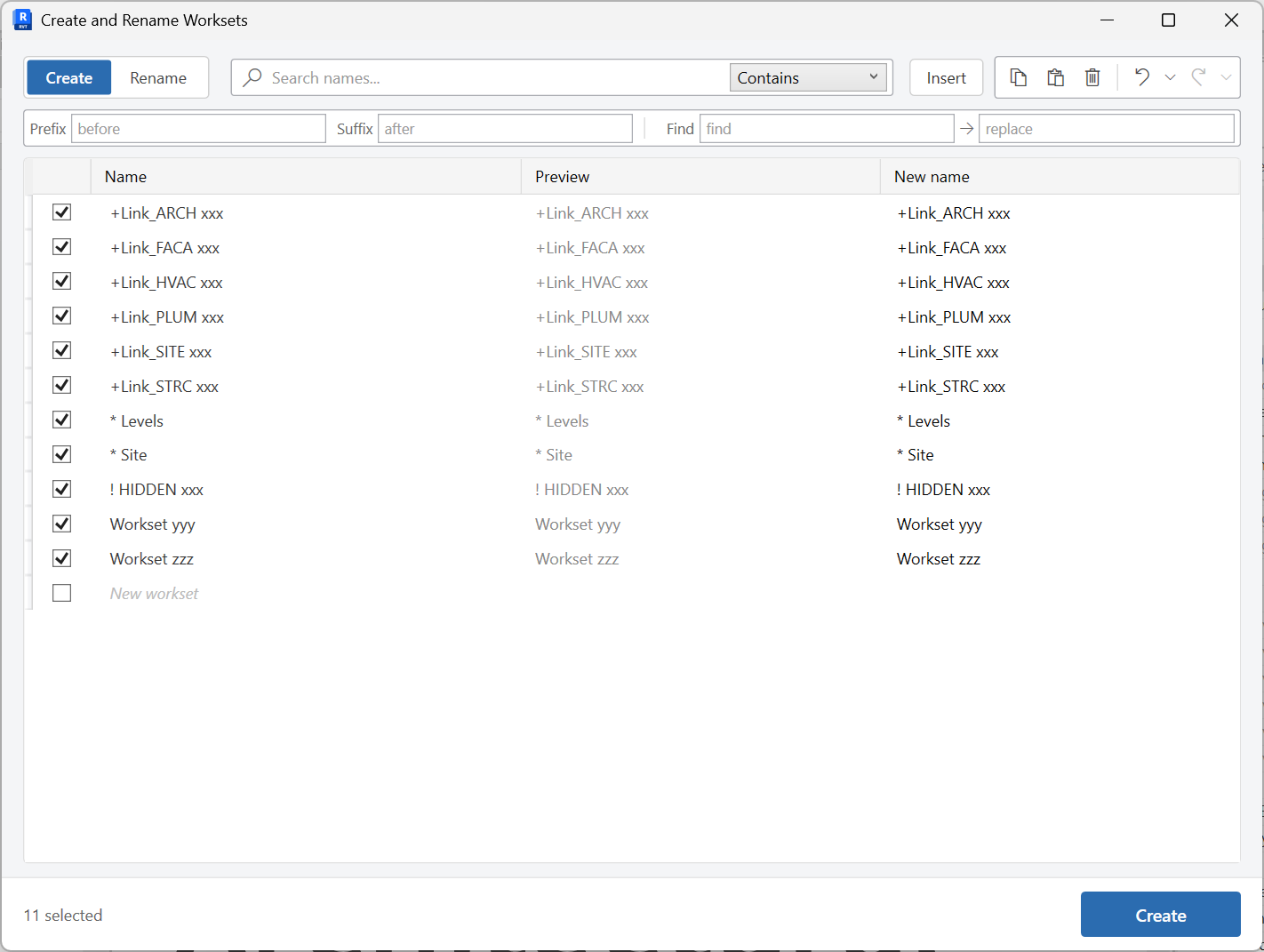
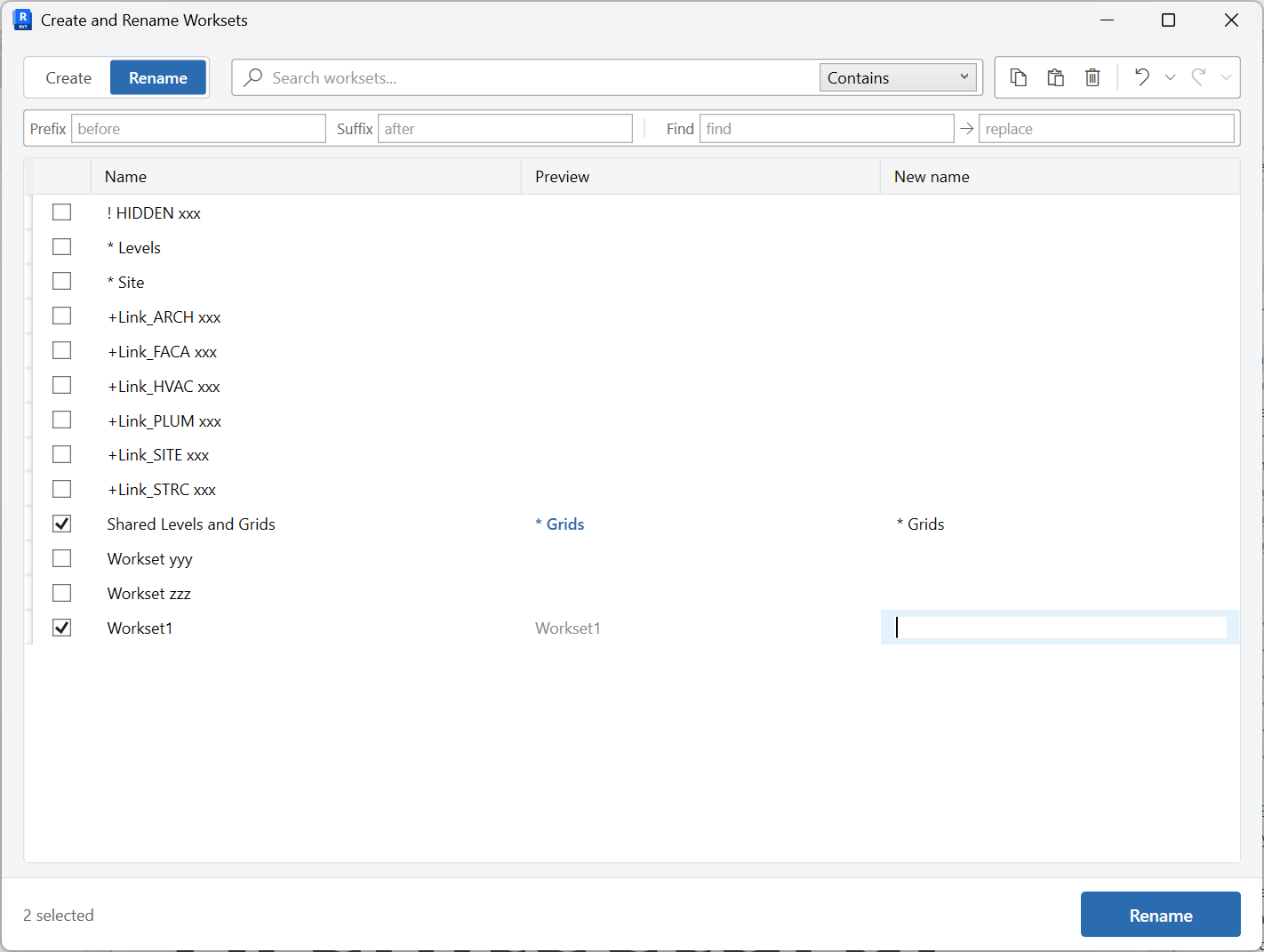
Use Create to add new worksets. Use Rename to change existing names, including the batch rename bar.
-
Fill the grid
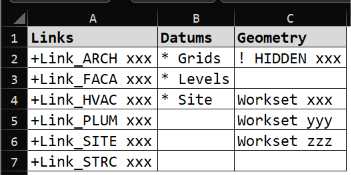
Type names, insert rows, paste from Excel, or use the Excel fill. Copy, paste, and undo are available in the grid toolbar.
-
Resolve warnings, then commit
Duplicate-name warnings must be cleared before the list can be applied.
Keep in mind
- The window title is Create and Rename Worksets - both modes live in the same tool.
- After creating worksets, assign links and datums with Assign Worksets.
Related tools
 Assign Worksets
Assign worksets to Revit links, CAD links, or levels and grids, with optional pinning and link renaming.
Assign Worksets
Assign worksets to Revit links, CAD links, or levels and grids, with optional pinning and link renaming.
 Unused Worksets
Find worksets with no elements and delete the ones you no longer need.
Unused Worksets
Find worksets with no elements and delete the ones you no longer need.
 Create Sheets
Create sheets from a grid you can edit, paste into, or fill from Excel, including extra sheet parameters.
Create Sheets
Create sheets from a grid you can edit, paste into, or fill from Excel, including extra sheet parameters.