Purge Unused Sheets
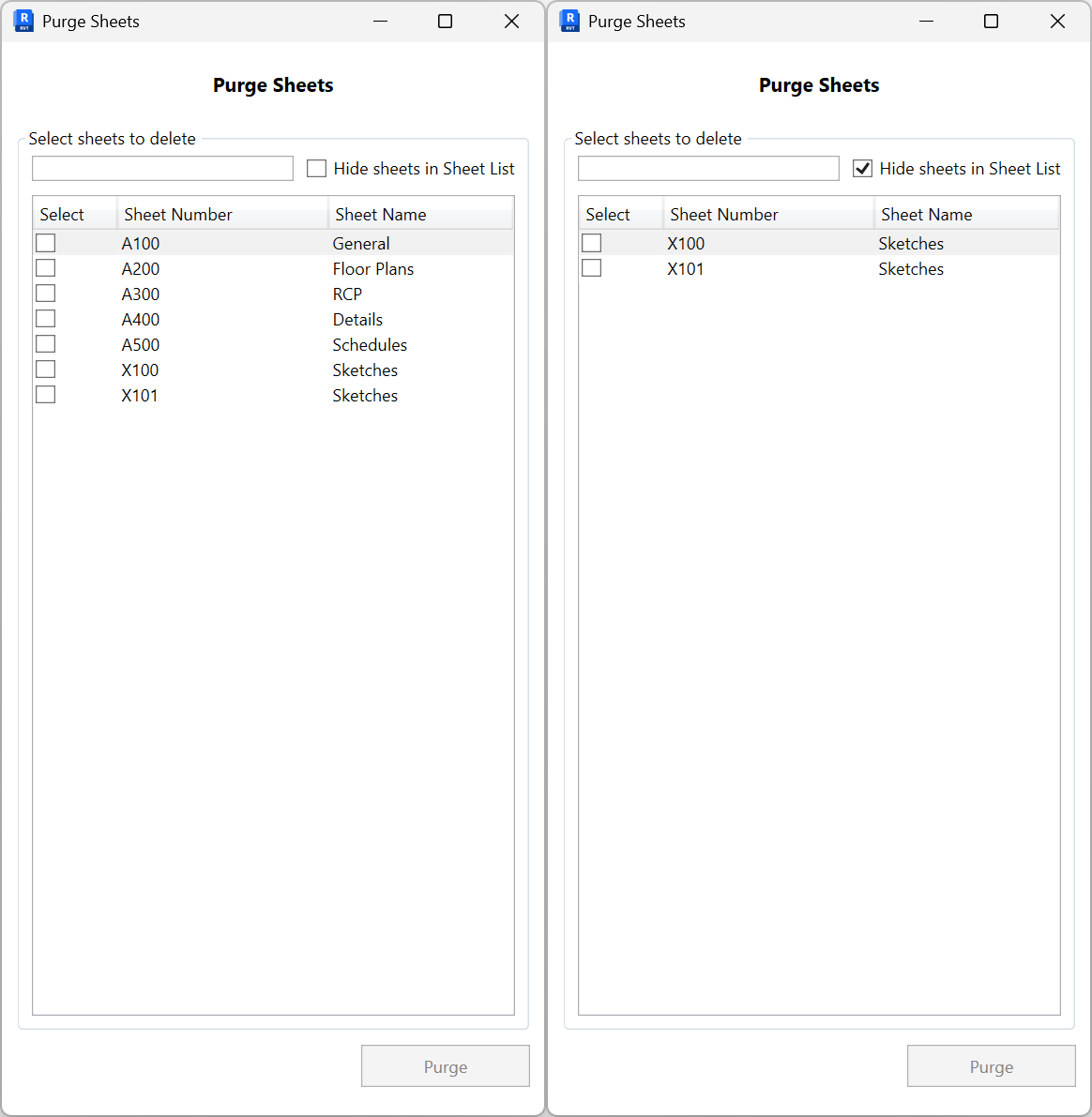
Delete unwanted sheets in bulk. Filter the list, optionally hide sheets that appear in the sheet list, select rows, then purge.
- Filter. Use the search box to narrow by sheet number or name.
- Hide sheets in Sheet List. Check Hide sheets in Sheet List to exclude sheets that have the Appears In Sheet List parameter enabled.
- Select sheets. In the grid, turn on the checkboxes for sheets to delete (columns: Select, Sheet Number, Sheet Name).
- Purge. Click Purge to remove the selected sheets. The button enables only when at least one row is selected.