
Coordination
Export Shared Sites
Export a separate Navisworks NWC file for each shared site in the project.
When to use it
Use this when a campus or multi-building model must go to Navisworks or a coordination model per shared site, not as one giant NWC.
Why it exists
Coordinators usually want one file per site. Exporting by hand for every shared site is slow and easy to mis-set.
How to use it
-
Open Export Shared Sites
On the ✚ Annon App tab, click Export Shared Sites.
-
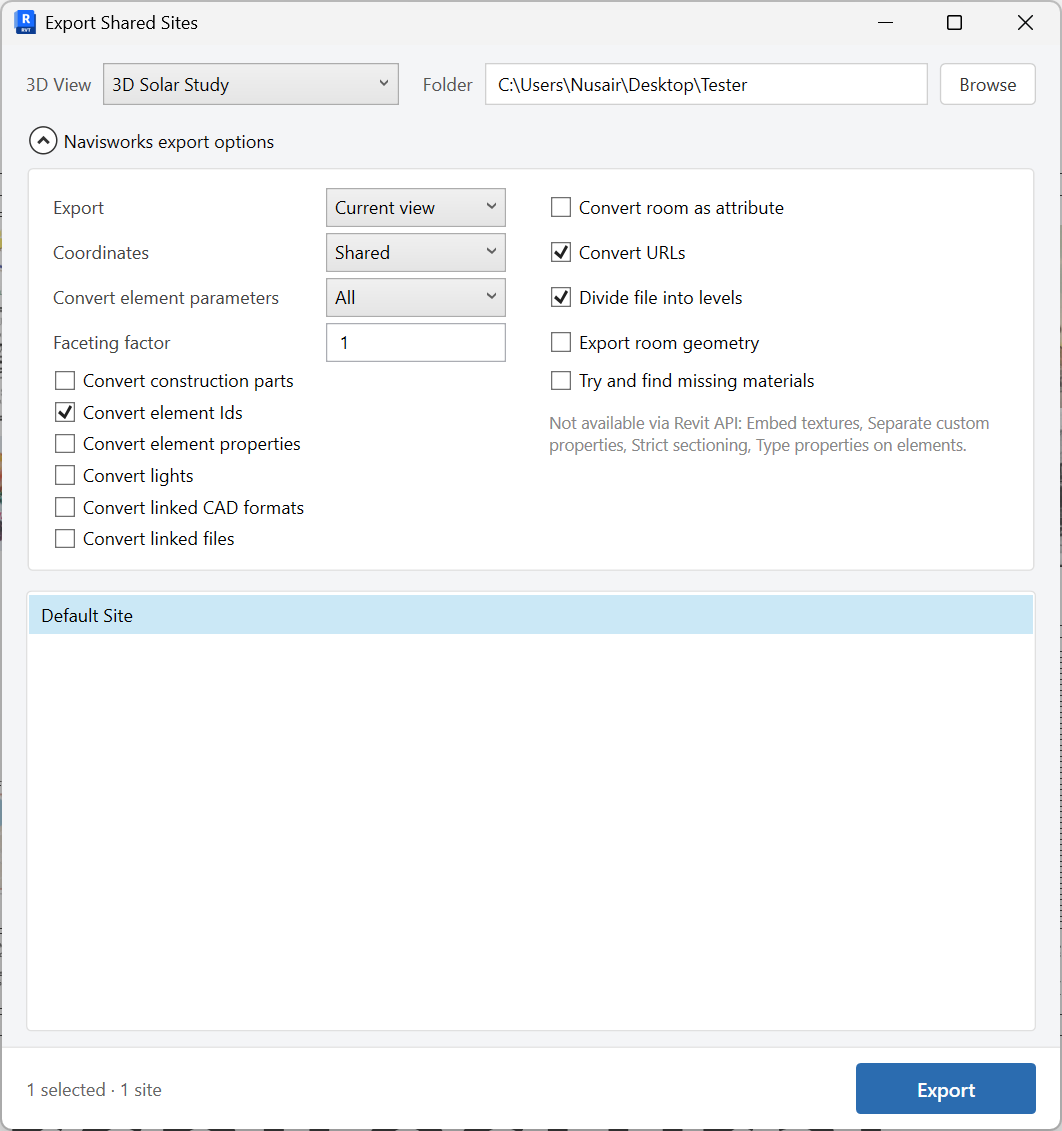
Choose a 3D view and folder
Pick the 3D view to export from and browse to an output folder.
-
Select shared sites
Check the sites that should each become an NWC.
-
Set Navisworks options
Expand export options as needed: scope (Model / Current view / Selected elements), coordinates (Shared / Internal), convert element parameters, faceting factor, and other NWC settings.
-
Export
Write one NWC per selected shared site into the output folder.
Keep in mind
- Confirm the 3D view already shows what coordination needs (links, worksets, vis graphics).
- Use Site first if you need to verify shared coordinates before export.

